Introduction
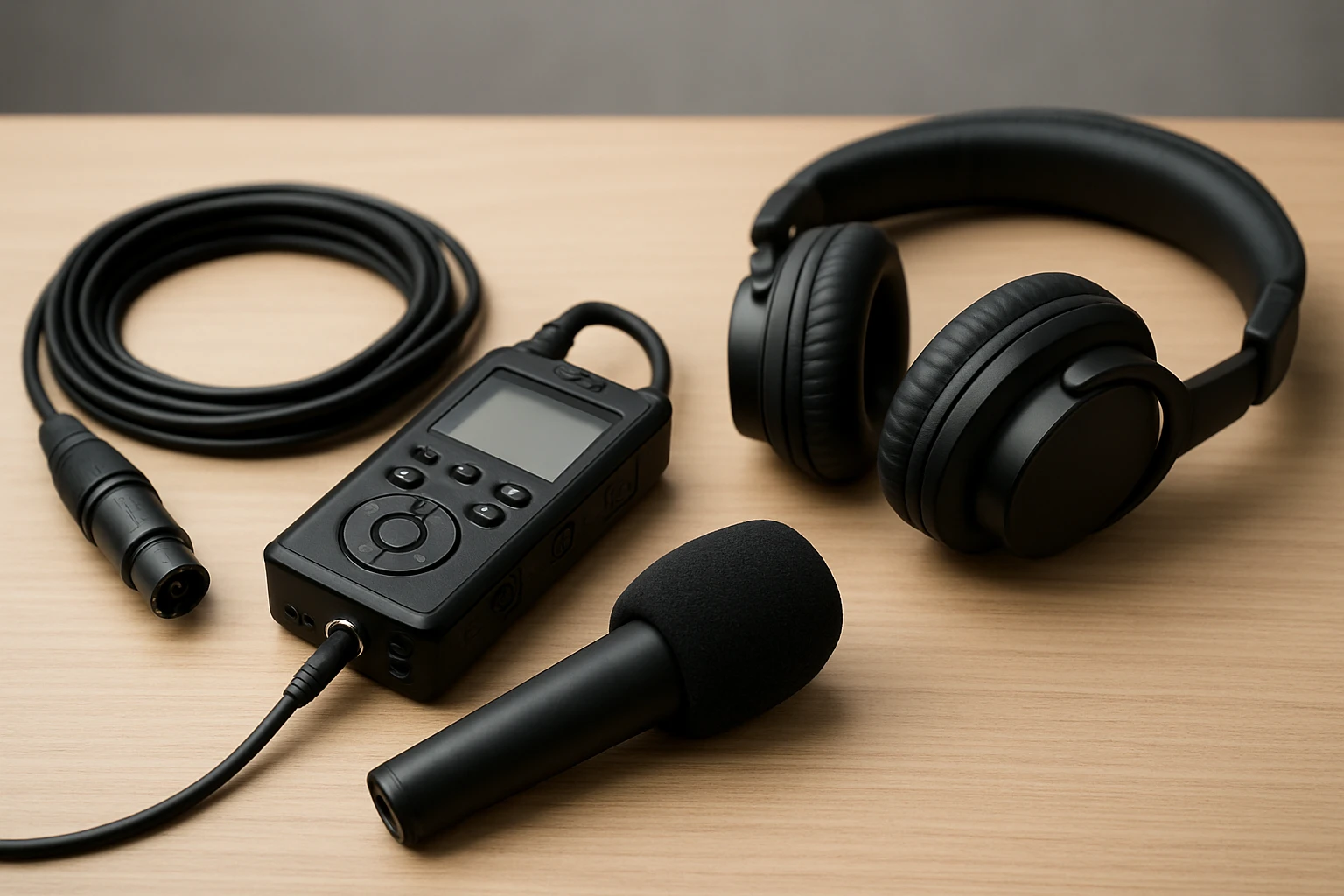
Portable podcasting kits have become essential tools for journalists, content creators, and interviewers who work outside of a traditional studio. This guide explains the core components of a field‑ready kit, compares top products, and provides actionable advice for achieving professional‑grade audio in any environment. Readers will learn how to evaluate audio interfaces, dynamic microphones, and supporting accessories, as well as how to assemble and operate the equipment efficiently. By the end of the article, one will be able to select the optimal combination of gear for any interview scenario.
Background and Context
Understanding the fundamentals of sound capture is critical before purchasing equipment. Sound is recorded as an electrical signal generated by a microphone diaphragm that vibrates in response to air pressure changes. The quality of that signal depends on microphone type, pre‑amplification, and the conversion process from analog to digital. In field interviews, background noise, wind, and inconsistent power sources present additional challenges that must be mitigated through thoughtful gear selection.
Dynamic microphones are often preferred for outdoor use because they are less sensitive to ambient noise than condenser models. An audio interface or portable recorder provides phantom power, gain control, and a reliable digital output that can be connected to a laptop, smartphone, or camera. Accessories such as boom arms, windshields, and sturdy stands ensure consistent positioning and reduce handling noise. The following sections break down each of these categories in detail.
Choosing the Right Audio Interface
An audio interface converts the analog signal from a microphone into a digital stream that can be recorded on a computer or mobile device. For field work, portability, battery life, and multi‑device compatibility are paramount. The Movo Podcast Kit includes the MDX‑2 dual USB audio interface, which offers XLR inputs with 48 V phantom power, USB‑A, USB‑C, and Lightning cables, and a three‑hour battery runtime. Its compact travel case makes it easy to transport, and the interface supports both Windows and macOS platforms as well as iOS and Android devices.
Key specifications of the MDX‑2 include two XLR inputs, two headphone outputs, and stereo 1/4" line outputs, allowing simultaneous monitoring of two hosts. The unit also provides a gain knob for each channel, which is essential for balancing levels when interviewing multiple speakers. With a rating of 4.6 out of 5 from 67 reviews, users praise its ease of setup and reliable performance in noisy environments.
When evaluating alternatives, consider the following criteria:
- Power source: battery‑operated versus USB‑powered.
- Connectivity: availability of USB‑C, Lightning, or traditional USB‑A.
- Input count: number of XLR inputs required for co‑hosts.
- Build quality: durability of the case and connectors for rugged use.
For creators who need wireless flexibility, the MAONO Podcast Kit offers a hybrid solution that includes both a wireless receiver and a USB interface, allowing the same microphones to be used wired or wirelessly. This versatility can reduce the number of devices carried on location.
Selecting Dynamic Microphones
Dynamic microphones convert sound into an electrical signal without requiring external power, making them ideal for unpredictable field conditions. The CastMic XLR microphone included in the Movo Podcast Kit features a cardioid pickup pattern, a frequency response of 40 Hz–16 kHz, and a robust metal housing. These attributes minimise background noise and provide clear vocal reproduction, which is essential for interview clarity.
The MAONO PD200W kit supplies two dynamic microphones with a 30 mm capsule and cardioid pattern, delivering an 82 dB signal‑to‑noise ratio and handling up to 128 dB SPL without distortion. Users note that the microphones maintain consistent tone even when placed close to noisy streets, thanks to advanced three‑stage noise cancellation. Both kits receive a rating of 4.6, indicating strong user satisfaction.
When choosing a microphone, keep the following factors in mind:
- Pickup pattern: cardioid for isolating the speaker, omnidirectional for ambient sound.
- Frequency response: ensure coverage of the human voice range (80 Hz–15 kHz).
- Durability: metal construction resists impact during travel.
- Compatibility: XLR connectors must match the interface inputs.
For interviewers who require flexibility across devices, the MAONO microphones can be connected via USB‑C, USB‑A, or XLR, providing a seamless transition between laptops, tablets, and smartphones.
Essential Accessories for Field Interviews
Even the best microphone and interface can suffer from handling noise or wind interference if not supported by appropriate accessories. A sturdy boom arm or mic stand ensures consistent distance from the speaker’s mouth, reducing plosive bursts and maintaining a steady gain structure. The InnoGear Mic Stand offers an adjustable height range of 28.1 inches to 89.8 inches, a detachable boom arm that rotates 360°, and a heavy‑duty steel tripod that weighs 4 lb for stability on uneven surfaces.
Additional accessories to consider include windshields (dead cats), pop filters, and portable power banks. Windshields are essential when recording outdoors, as they attenuate wind gusts that can cause low‑frequency rumble. Pop filters reduce plosive consonants such as “p” and “b,” which can overload the microphone diaphragm. A high‑capacity power bank can extend the battery life of both the interface and wireless microphones, ensuring uninterrupted recording sessions.
All three products reviewed include necessary cables, stands, and protective cases, which simplifies the procurement process for beginners. However, investing in a dedicated carrying bag and shock‑absorbing foam inserts can further protect equipment during travel.
Comparison and Selection Guide
| Feature | Movo Podcast Kit | MAONO Podcast Kit | InnoGear Mic Stand |
|---|---|---|---|
| Primary Use | Dual‑host podcasting and field interviews | Hybrid wireless/USB/XLR for versatile setups | Adjustable boom arm stand for microphones |
| Price | $399.95 | $159.98 | $26.99 |
| Rating | 4.6/5 (67 reviews) | 4.6/5 (260 reviews) | 4.5/5 (1,461 reviews) |
| Battery Life | 3 hours (interface) | Up to 60 hours (wireless mics) | N/A (mechanical) |
| Connectivity | USB‑A, USB‑C, Lightning | USB‑C, USB‑A, XLR, wireless 2.4 GHz | Standard 5/8" and 3/8" adapters |
| Included Accessories | 2 mics, 2 stands, cables, travel case | 2 mics, receiver, boom arm, cables, app | 2 mic clips, carrying bag, adapter |
Choosing the right kit depends on the specific interview workflow. If the primary need is a reliable wired solution for two hosts, the Movo Podcast Kit offers a complete package with a robust interface and dual microphones. For creators who anticipate moving between studio, outdoor, and on‑the‑go recordings, the MAONO Podcast Kit provides wireless freedom and multiple connection options. The InnoGear Mic Stand is a cost‑effective accessory that enhances any microphone setup by offering height flexibility and stability.
Best Practices & Pro Tips
Even with top‑tier equipment, technique determines the final audio quality. Follow these guidelines to maximise results:
- Conduct a sound check. Record a one‑minute test segment at the intended distance and adjust gain until peaks stay below –6 dB.
- Use a windscreen outdoors. Attach a foam or furry windshield to the microphone to minimise wind‑induced rumble.
- Maintain consistent mic placement. Position the microphone 6–12 inches from the speaker’s mouth, angled slightly off‑axis to reduce plosives.
- Monitor in real time. Connect headphones to the audio interface to detect clipping, background noise, or interference immediately.
- Backup recordings. When possible, record simultaneously to a second device (e.g., smartphone) to prevent data loss.
Additional tips for wireless setups include checking the battery level of each transmitter before heading out and verifying that the receiver is within the specified range (up to 60 m for the MAONO system). For multi‑host interviews, assign each microphone its own track in the recording software; this simplifies post‑production editing and allows individual level adjustments.
Frequently Asked Questions
- Do I need phantom power for dynamic microphones? No. Dynamic microphones such as those in the Movo and MAONO kits operate without external power, which simplifies field deployment.
- Can I use the Movo MDX‑2 with an iPhone? Yes. The MDX‑2 includes a Lightning cable, enabling direct connection to iPhone or iPad models that support USB audio.
- How do I reduce wind noise when recording outdoors? Attach a furry windshield (dead cat) to the microphone, position the mic shielded behind the speaker’s body, and consider using a wind‑blocking enclosure if the environment is extremely gusty.
- Is the MAONO wireless system compatible with cameras? The receiver can sync audio and video when connected to a camera via the appropriate cable; however, camera‑specific accessories may need to be purchased separately.
- What is the advantage of a boom arm over a tabletop stand? A boom arm allows precise positioning above the speaker without occupying desk space, reducing handling noise and providing a cleaner visual setup for video recordings.
- Can I expand the number of microphones beyond two? Both the Movo MDX‑2 and MAONO receiver support additional inputs via XLR; however, each additional mic may require a separate channel or mixer for independent tracking.
- How should I store my equipment when not in use? Use the provided travel cases or the InnoGear carrying bag, and keep cables loosely coiled to avoid kinking. Store in a dry environment to protect electronic components.
Conclusion
Portable podcasting kits empower interviewers to capture high‑quality audio in any location, from bustling city streets to remote outdoor venues. By understanding the roles of audio interfaces, dynamic microphones, and supportive accessories, one can assemble a system that balances durability, flexibility, and sound fidelity. The Movo Podcast Kit delivers a comprehensive wired solution, the MAONO Podcast Kit offers hybrid wireless versatility, and the InnoGear Mic Stand provides an affordable yet sturdy mounting option. Applying the best‑practice tips outlined in this guide will ensure consistent, professional results regardless of the recording environment.
Products Featured in This Guide
Movo Podcast Kit
Price: $399.95 | Rating: 4.6/5 (67 reviews)
Featured because it provides a dual‑channel audio interface, two CastMic XLR dynamic microphones, and a travel‑ready case, making it a complete solution for two‑host field interviews.
MAONO Podcast Kit
Price: $159.98 | Rating: 4.6/5 (260 reviews)
Featured for its hybrid wireless, USB, and XLR connectivity, long battery life, and app‑based sound customization, offering maximum flexibility for mobile creators.
InnoGear Mic Stand
Price: $26.99 | Rating: 4.5/5 (1,461 reviews)
Featured because its adjustable height, sturdy tripod base, and detachable boom arm make it an ideal, budget‑friendly mounting solution for any microphone used in field interviews.